
This guide is for staff and students at R(D)SVS.
If your browser is blocking third-party cookies, this can prevent the Collaborate tool from loading within Learn. The circular loading icon spins but the tool doesn’t load:

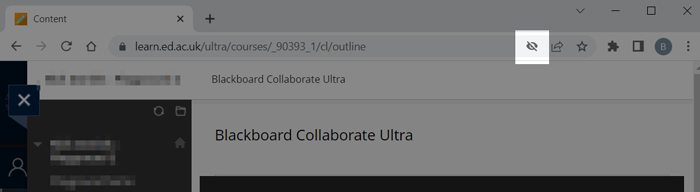
One reason this happens is when Chrome blocks third-party cookies from Collaborate. Look for a crossed-out eye icon in the address bar; this indicates that Chrome is blocking these cookies.
How to allow third-party cookies from Collaborate
Go to the page where the circular loading circle is spinning.
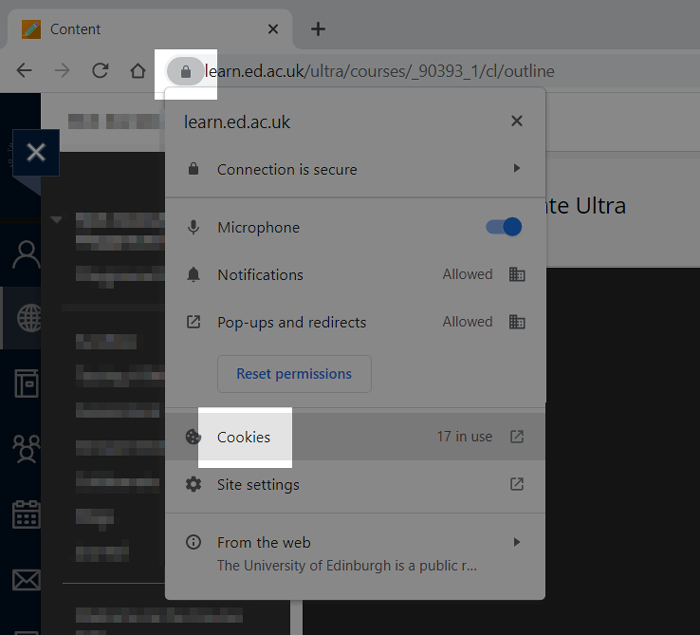
In the address bar, click the padlock icon, and choose Cookies.
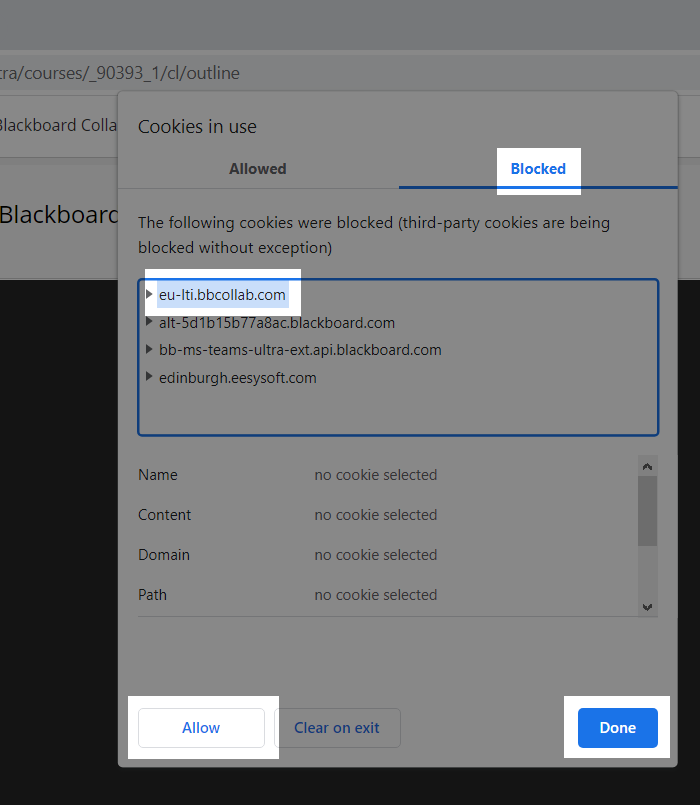
Go to the Blocked tab. Select the bbcollab.com cookie, click Allow, then Done.
Chrome will prompt you to reload the page. When this is done, the Collaborate tool should work correctly.
Further help
If this has not fixed your problem, please contact the E-Learning Developer for your course.