
Your Learn profile includes a photo and basic information such as your full name and its pronunciation, pronouns, and your university email address.
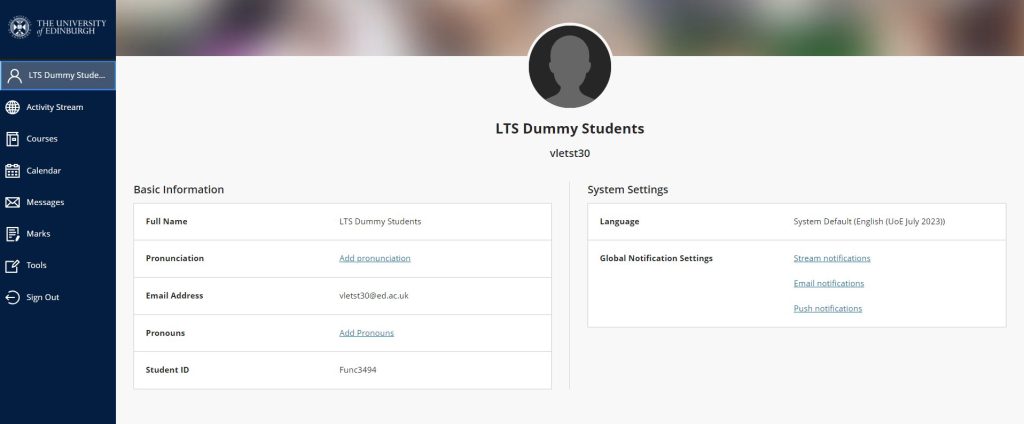
You can access your Learn profile by clicking on your name at the top left in the navigation sidebar.
Upload a Picture
You can upload a photo by mousing over the profile image and clicking the pencil icon.

Your profile picture shows up next to your posts on the discussion board.
We recommended that you add a profile picture so that your contributions are identifiable at a glance within a discussion.
Update Your Profile
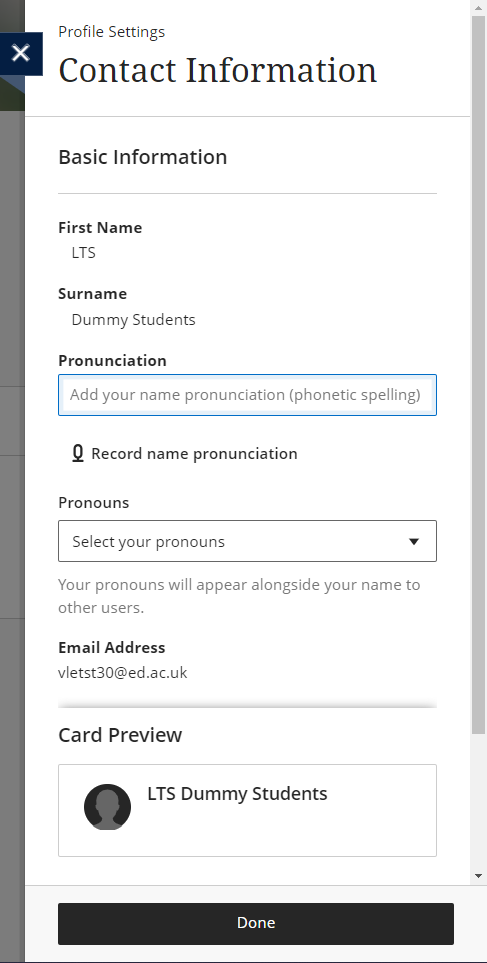
You can add your pronunciation and pronouns. For the pronunciation you can add both a phonetic spelling and recorded audio. These will appear alongside your name throughout your courses.

Selecting the edit icon on either option will open the following window. Here you can see a preview of your user card that will be visible in courses.
More information
Blackboard Help: Your Profile (Opens in new tab)
Edinburgh Uni Sharepoint Help – Learn introduction and editing your profile (Opens in new tab)